Rough draft in.
Sharp words
out.
Written by you. Sharpened by AI.
Sharpt makes small editing tools for Chrome. Write polishes your text in the tone you need. Shutter marks up your screenshots so people see exactly what you mean.

Two tools.
One habit.
Fix the words, then show exactly what you mean. Both live one click away in Chrome.

Write

Shutter

Write
Say it better, in the tone you need.
Type, paste or dictate your text, or bring in an image of it. Pick a tone and a mode, and Write hands back a cleaner version to paste.
Any tone, one tap.
Professional, Action-oriented, Time-blocked or Casual.
Fixes, explained.
Every correction comes with a short note on what changed.
Say it, don't type it.
Dictate in Tanglish, Hinglish or any mix, and Write keeps up.
Right where you type.
A Sharpt button sits inside text boxes on any website.
From brief to draft.
Give a short brief, answer a quick question or two, get a finished draft.
Private by choice.
Use Google Gemini with your own key, or on-device AI that never leaves your computer.
Add to Chrome
Privacy policy
4
tones to choose from
10
Indian languages to translate into
0
Sharpt servers your text passes through


Email. Chat.
Tickets. Docs.
Less retyping. More meaning.
Open Sharpt beside whatever you're working on, or use the button inside the text box itself. The fix happens where the words live.
See how it works
Shutter
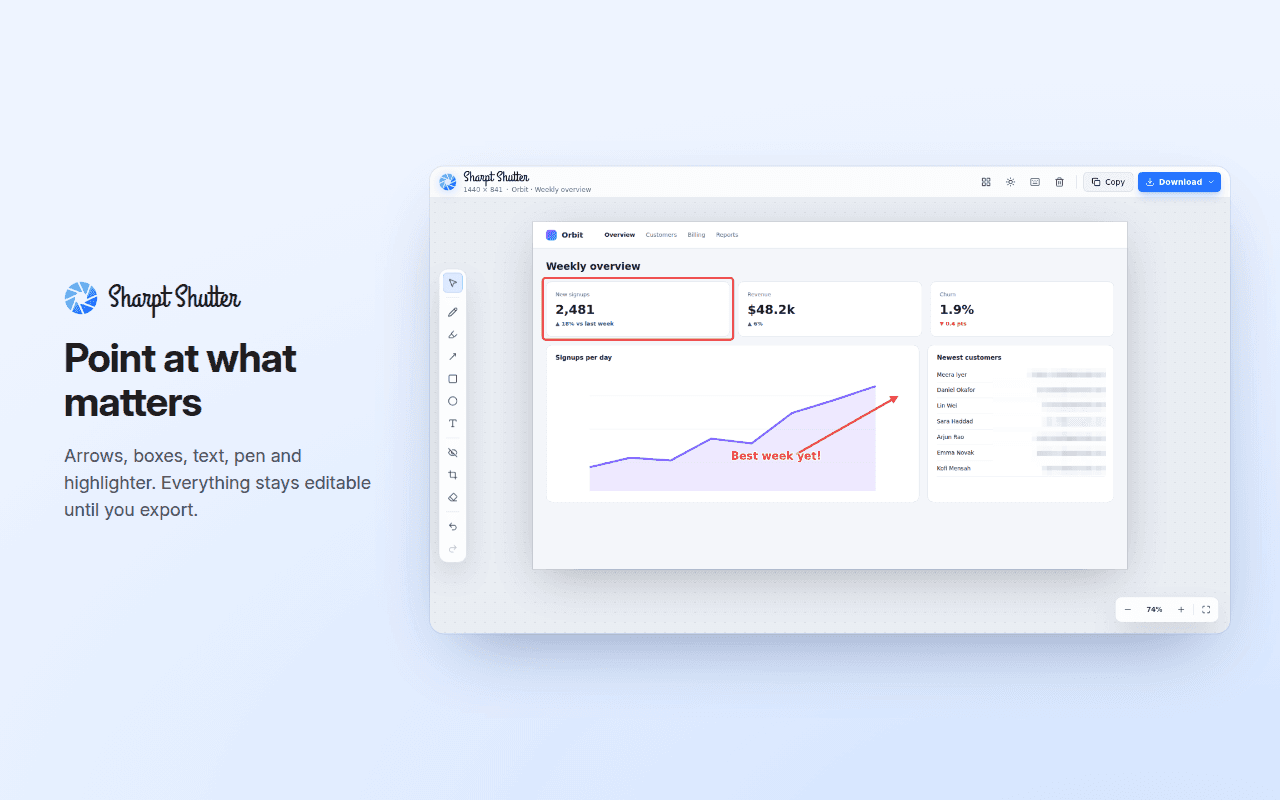
Point at the thing that matters.
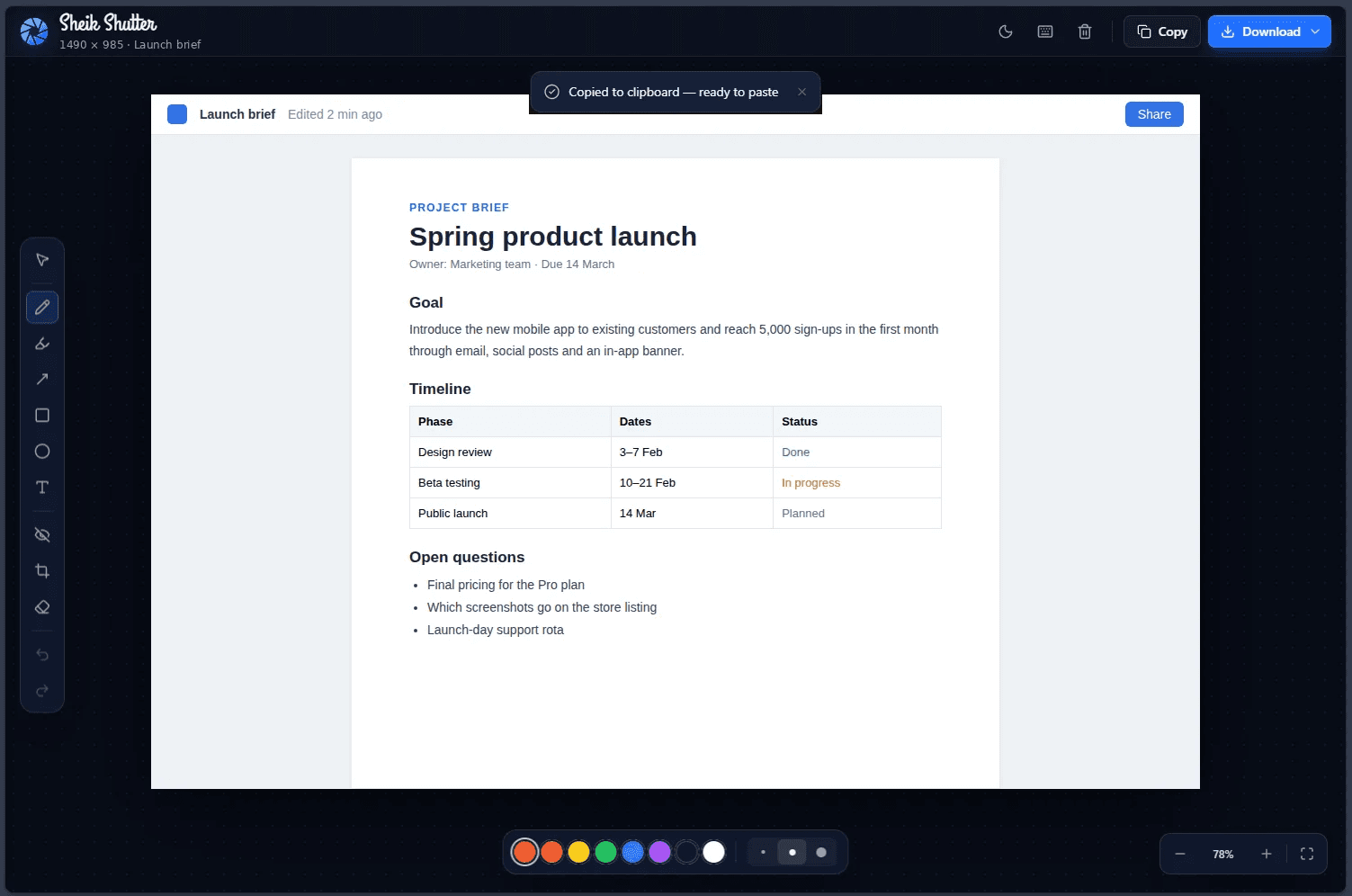
Drop in a screenshot, mark it up and send it on. Hide anything private before you share, then copy it or download the file.
Alt+Shift+S
Pen
Highlighter
Arrow
Rectangle
Circle
Text
Hide private info
Crop
Eraser
Colours and strokes
Finish
Copy to clipboard
Download
Zoom
Undo and redo



See how it works
Questions, answered.
Is Sharpt free?
Yes. With Google Gemini you use your own key, which comes with a free tier. On-device AI costs nothing at all.
Where does my text go?
Only to the engine you choose. With Google Gemini it goes from your browser to Google with your own key. With on-device AI it stays on your computer. Sharpt has no server of its own and no tracking.
Do I need an API key?
Only for Google Gemini. Getting a free key in Google AI Studio takes about a minute, and the side panel walks you through it. On-device AI needs no key.
Which languages does it handle?
Write translates into Hindi, Tamil, Telugu, Bengali, Marathi, Gujarati, Kannada, Malayalam, Punjabi, Urdu and English, and voice input understands mixed speech like Tanglish and Hinglish. On-device AI works with English text.
Why Sharpt exists.
As a product designer, I spend my days perfecting user interfaces, but I noticed my own daily communications—emails, tickets, quick feedback—were often messy and time-consuming. I built Sharpt because I wanted that same level of precision in my everyday messages and screenshots without breaking my momentum. It’s the tool I needed to communicate exactly what I mean, instantly.
Product Designer (UI/UX)
Write once.
Send sharper.
Add Sharpt to Chrome
More editors are on the way. Want early access, or have an editor you wish existed? Write in and say which one you'd use.
supportsheiksphere@gmail.com
Send an email
Support
Like Sharpt? Keep it free.
Sharpt and Shutter are made by one designer, with no ads and no tracking. If they save you time, a coffee helps me keep building.
From anywhere
Buy me a coffee
Support with a card or PayPal, in your own currency.
Buy me a coffee
buymeacoffee.com/sharpt
In India
Pay with UPI
Scan with Google Pay, PhonePe, Paytm or any UPI app.

UPI ID
sheikabdulrahman55@okicici
Tap and hold to copy
Every coffee goes into new features and keeping both tools free. Thank you!
Rough draft in.
Sharp words
out.
Written by you. Sharpened by AI.
Sharpt makes small editing tools for Chrome. Write polishes your text in the tone you need. Shutter marks up your screenshots so people see exactly what you mean.
Two tools.
One habit.
Fix the words, then show exactly what you mean. Both live one click away in Chrome.
Write
Shutter
Write
Say it better, in the tone you need.
Type, paste or dictate your text, or bring in an image of it. Pick a tone and a mode, and Write hands back a cleaner version to paste.
Any tone, one tap.
Professional, Action-oriented, Time-blocked or Casual.
Fixes, explained.
Every correction comes with a short note on what changed.
Say it, don't type it.
Dictate in Tanglish, Hinglish or any mix, and Write keeps up.
Right where you type.
A Sharpt button sits inside text boxes on any website.
From brief to draft.
Give a short brief, answer a quick question or two, get a finished draft.
Private by choice.
Use Google Gemini with your own key, or on-device AI that never leaves your computer.
4
tones to choose from
10
Indian languages to translate into
0
Sharpt servers your text passes through
Email. Chat.
Tickets. Docs.
Less retyping. More meaning.
Open Sharpt beside whatever you're working on, or use the button inside the text box itself. The fix happens where the words live.
See how it works
Shutter
Point at the thing that matters.
Alt+Shift+S
Drop in a screenshot, mark it up and send it on. Hide anything private before you share, then copy it or download the file.
See how it works
Pen
Highlighter
Arrow
Rectangle
Circle
Text
Hide private info
Crop
Eraser
Colours and strokes
Finish
Copy to clipboard
Download
Zoom
Undo and redo
Questions, answered.
Is Sharpt free?
Yes. With Google Gemini you use your own key, which comes with a free tier. On-device AI costs nothing at all.
Where does my text go?
Only to the engine you choose. With Google Gemini it goes from your browser to Google with your own key. With on-device AI it stays on your computer. Sharpt has no server of its own and no tracking.
Do I need an API key?
Only for Google Gemini. Getting a free key in Google AI Studio takes about a minute, and the side panel walks you through it. On-device AI needs no key.
Which languages does it handle?
Write translates into Hindi, Tamil, Telugu, Bengali, Marathi, Gujarati, Kannada, Malayalam, Punjabi, Urdu and English, and voice input understands mixed speech like Tanglish and Hinglish. On-device AI works with English text.
Why Sharpt exists.
As a product designer, I spend my days perfecting user interfaces, but I noticed my own daily communications—emails, tickets, quick feedback—were often messy and time-consuming. I built Sharpt because I wanted that same level of precision in my everyday messages and screenshots without breaking my momentum. It’s the tool I needed to communicate exactly what I mean, instantly.
Product Designer (UI/UX)
Write once.
Send sharper.
Add Sharpt to Chrome
More editors are on the way. Want early access, or have an editor you wish existed? Write in and say which one you'd use.
supportsheiksphere@gmail.com
Send an email
Support
Like Sharpt? Keep it free.
Sharpt and Shutter are made by one designer, with no ads and no tracking. If they save you time, a coffee helps me keep building.
From anywhere
Buy me a coffee
Support with a card or PayPal, in your own currency.
Buy me a coffee
buymeacoffee.com/sharpt
In India
Pay with UPI
Scan with Google Pay, PhonePe, Paytm or any UPI app.
UPI ID
sheikabdulrahman55@okicici
Tap and hold to copy
Every coffee goes into new features and keeping both tools free. Thank you!
Rough draft in.
Sharp words
out.
Written by you. Sharpened by AI.
Sharpt makes small editing tools for Chrome. Write polishes your text in the tone you need. Shutter marks up your screenshots so people see exactly what you mean.
Two tools.
One habit.
Fix the words, then show exactly what you mean. Both live one click away in Chrome.
Write
Shutter
Write
Say it better, in the tone you need.
Type, paste or dictate your text, or bring in an image of it. Pick a tone and a mode, and Write hands back a cleaner version to paste.
Any tone, one tap.
Professional, Action-oriented, Time-blocked or Casual.
Fixes, explained.
Every correction comes with a short note on what changed.
Say it, don't type it.
Dictate in Tanglish, Hinglish or any mix, and Write keeps up.
Right where you type.
A Sharpt button sits inside text boxes on any website.
From brief to draft.
Give a short brief, answer a quick question or two, get a finished draft.
Private by choice.
Use Google Gemini with your own key, or on-device AI that never leaves your computer.
Add to Chrome
Privacy policy
4
tones to choose from
10
Indian languages to translate into
0
Sharpt servers your text passes through
Email. Chat.
Tickets. Docs.
Less retyping. More meaning.
Open Sharpt beside whatever you're working on, or use the button inside the text box itself. The fix happens where the words live.
See how it works
Shutter
Point at the thing that matters.
Drop in a screenshot, mark it up and send it on. Hide anything private before you share, then copy it or download the file.
Alt+Shift+S
Pen
Highlighter
Arrow
Rectangle
Circle
Text
Hide private info
Crop
Eraser
Colours and strokes
Finish
Copy to clipboard
Download
Zoom
Undo and redo
See how it works
Questions, answered.
Is Sharpt free?
Yes. With Google Gemini you use your own key, which comes with a free tier. On-device AI costs nothing at all.
Where does my text go?
Only to the engine you choose. With Google Gemini it goes from your browser to Google with your own key. With on-device AI it stays on your computer. Sharpt has no server of its own and no tracking.
Do I need an API key?
Only for Google Gemini. Getting a free key in Google AI Studio takes about a minute, and the side panel walks you through it. On-device AI needs no key.
Which languages does it handle?
Write translates into Hindi, Tamil, Telugu, Bengali, Marathi, Gujarati, Kannada, Malayalam, Punjabi, Urdu and English, and voice input understands mixed speech like Tanglish and Hinglish. On-device AI works with English text.
Why Sharpt exists.
As a product designer, I spend my days perfecting user interfaces, but I noticed my own daily communications—emails, tickets, quick feedback—were often messy and time-consuming. I built Sharpt because I wanted that same level of precision in my everyday messages and screenshots without breaking my momentum. It’s the tool I needed to communicate exactly what I mean, instantly.
Product Designer (UI/UX)
Write once.
Send sharper.
Add Sharpt to Chrome
More editors are on the way. Want early access, or have an editor you wish existed? Write in and say which one you'd use.
supportsheiksphere@gmail.com
Send an email
Support
Like Sharpt? Keep it free.
Sharpt and Shutter are made by one designer, with no ads and no tracking. If they save you time, a coffee helps me keep building.
From anywhere
Buy me a coffee
Support with a card or PayPal, in your own currency.
Buy me a coffee
buymeacoffee.com/sharpt
In India
Pay with UPI
Scan with Google Pay, PhonePe, Paytm or any UPI app.
UPI ID
sheikabdulrahman55@okicici
Tap and hold to copy
Every coffee goes into new features and keeping both tools free. Thank you!